

The information needed to identify your frame is always printed or engraved on it, usually on the left temple. Whatever your brand, it works just like the two examples below.
Simply check the inside of the left temple arm. You'll find your model reference (e.g. RB2199, OO9295) along with the lens width in millimeters.
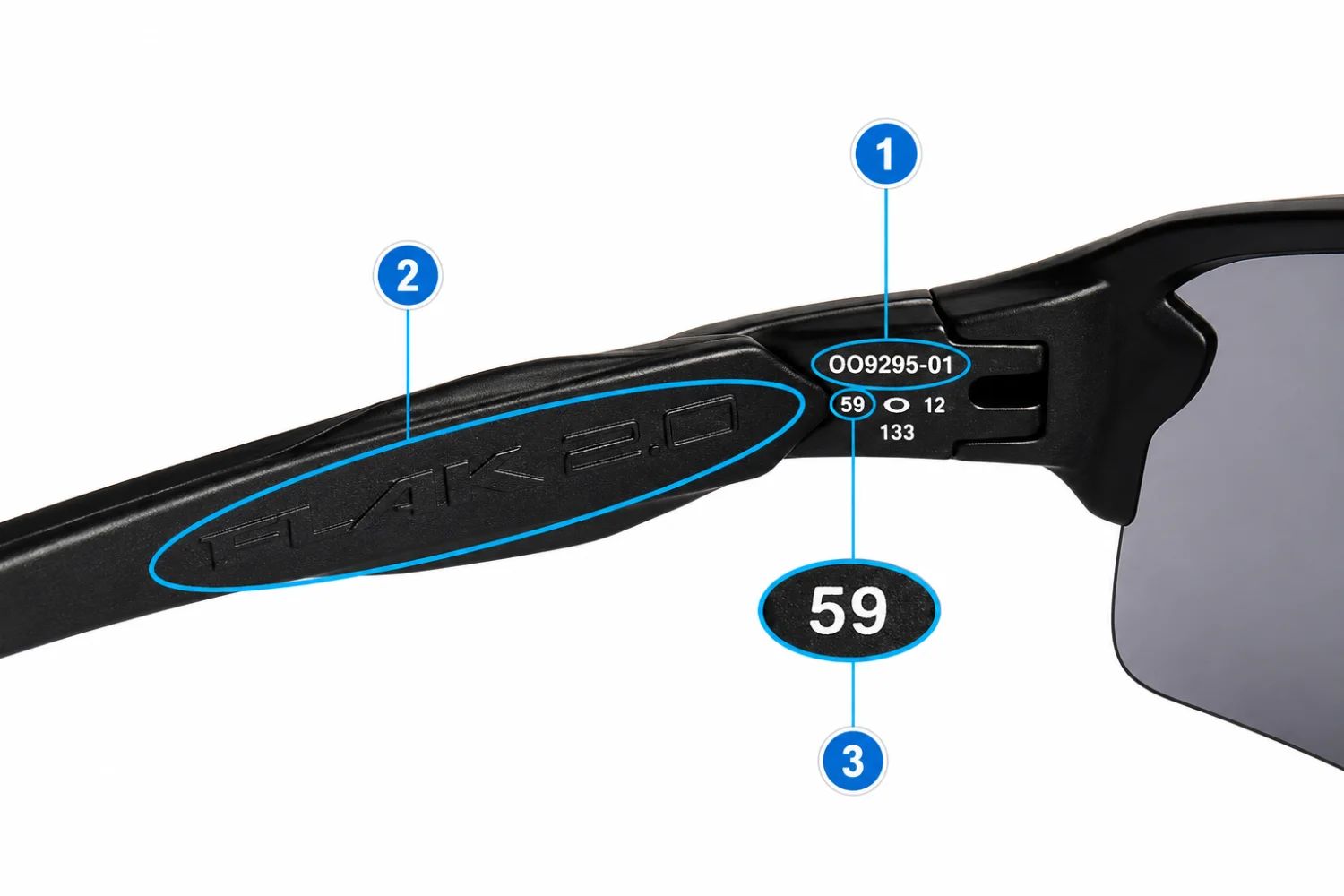
Look inside the left arm of your Oakley frame.
(9295)
(FLAK 2.0)
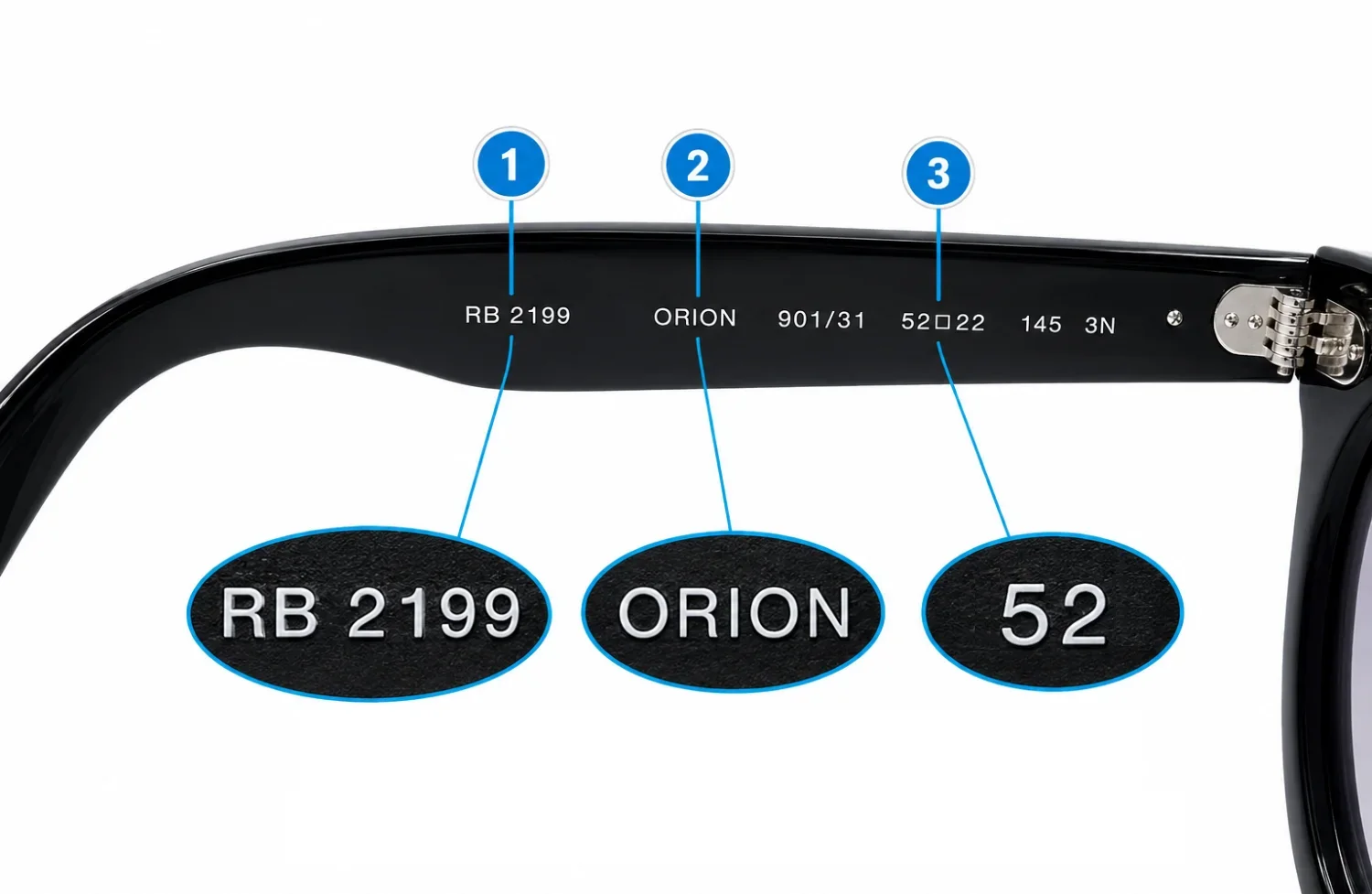
Look inside the left arm of your Ray-Ban frame.
(RB2199 → 2199)
(Orion, Aviator)
(52, 53, 54)
Frame Type
Look for the model reference printed on your glasses. It may appear as a model name, a code made up of letters and numbers, or both.
Eye Size
The frame type can be printed on your frame as a name, a series of letters and/or numbers that make up the model number, or sometimes both
Lens Category
Some frames also list lens category. You will see a number 0-4, followed by the letter P or N. The letter P stands for polarized and N is non-polarized. This doesn’t matter for finding the right replacement lenses.
Not every frame shows all three. Some have a model name and lens width but no model number, others have a model number and lens width but no name.
That's perfectly normal - just type whatever you can read into our search bar, and there's a good chance we'll have your model.