


To make sure your new lenses fit perfectly, we need to know exactly which glasses you have. The good news: everything we need is written or engraved right on your frame — usually on the inside of the left temple.
Pick up your glasses and look closely at the inside of the left arm. If you don't find anything there, check the other arm, the bridge, or the inner rim — the information is always somewhere on the frame. You're looking for two things: a model reference (a code like "RB2199" or "OO9295") and a lens width (a number in millimeters).
The two examples below are Ray-Ban and Oakley, but don't worry if you have another brand. Every brand works the same way — the reference and the lens width are always marked on the frame. Whatever your glasses, one of these two examples will look just like yours.
Example: Ray-Ban
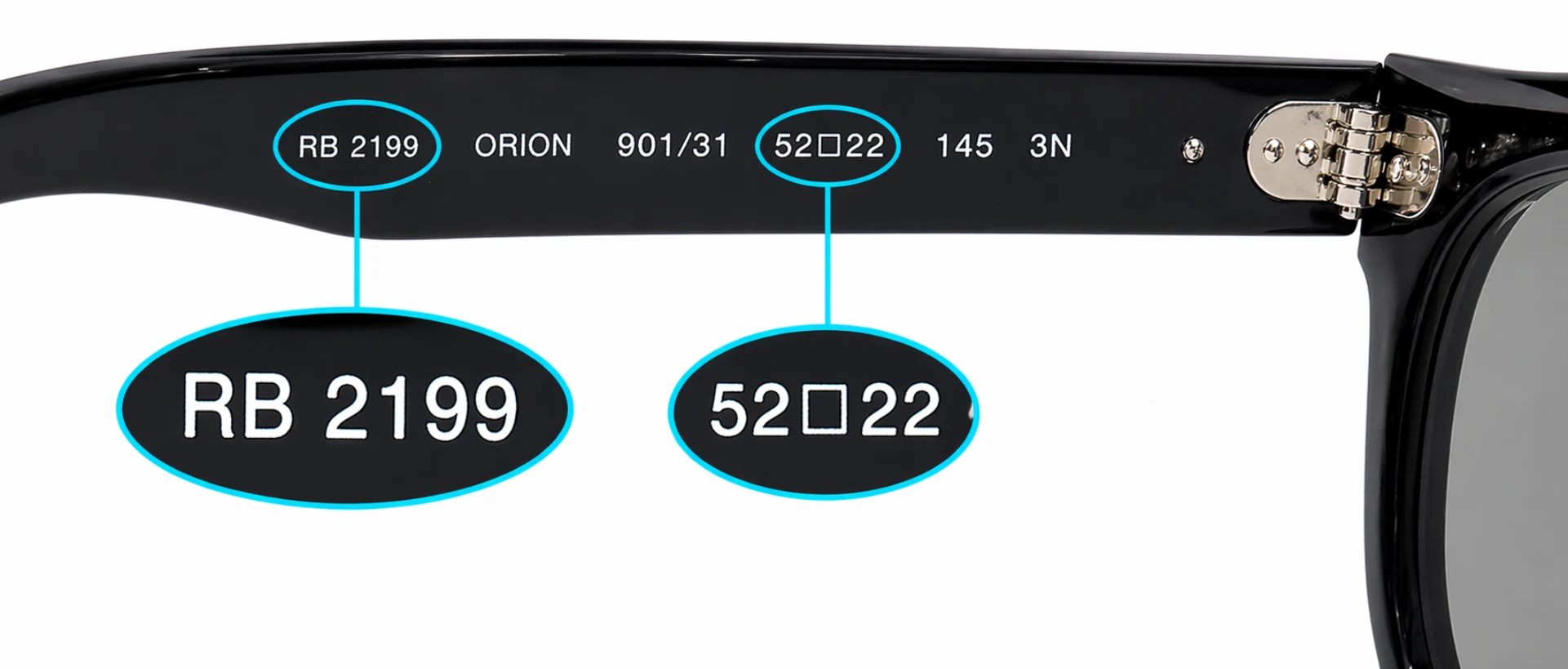
- Model reference — the code that identifies your frame
- Lens width — in millimeters
- Optional: model name
In our search bar, simply type the reference: "2199".
If your model exists in several sizes, make sure you pick the right one — in this example, 52 mm.
Example: Oakley
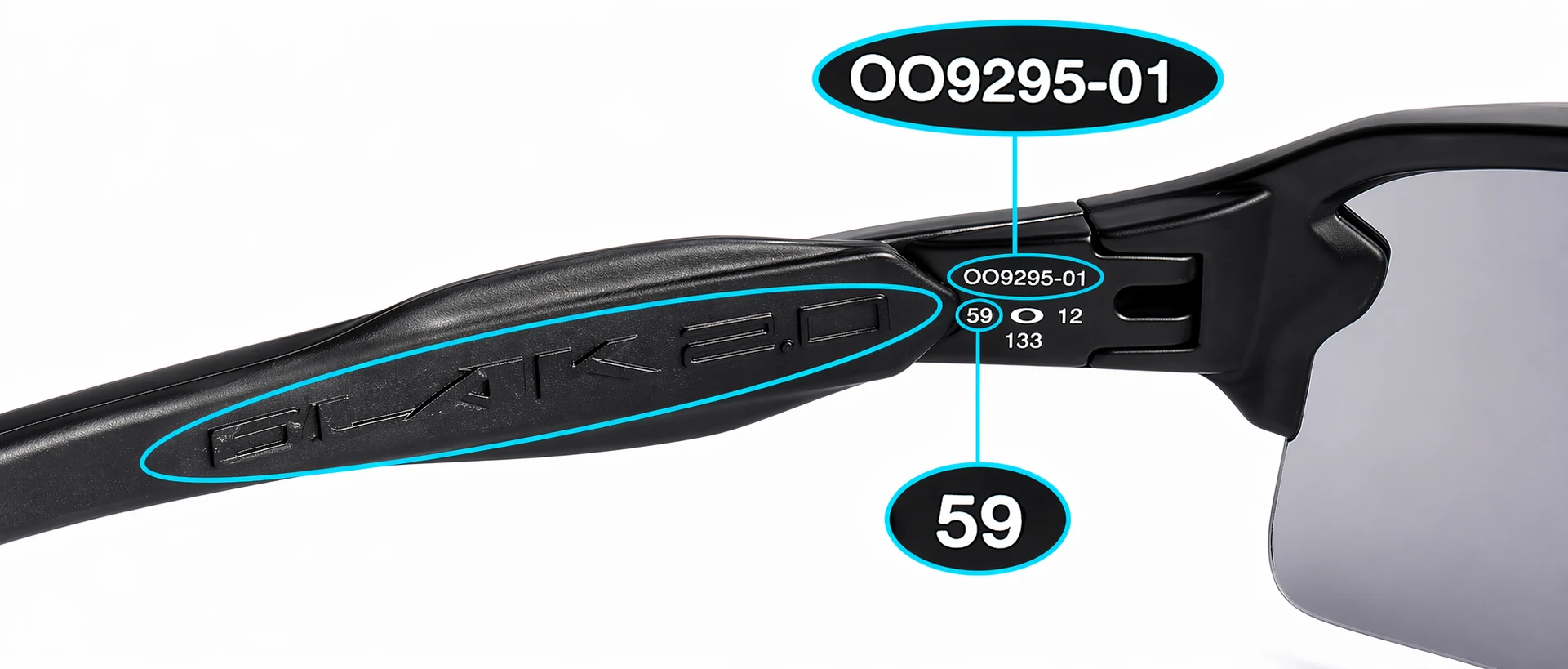
- Model reference — the code that identifies your frame
- Lens width — in millimeters
- Optional: model name
In our search bar, simply type the reference: "9295".
If your model exists in several sizes, make sure you pick the right one — in this example, 59 mm.
Can't read the reference, or can't find your model?
If the markings on your frame have worn off, are unreadable, or your model simply doesn't appear in our search — no problem. Our custom-made lenses can be cut to fit virtually any frame, measured to the tenth of a millimeter.
Just send us a few photos of your glasses and we'll take care of the rest.
See also
Replacing your lenses yourself has never been easier. Watch our step-by-step installation guides.


